
- Thank you received: 0
Indication of new posts on a forum section.
- Gandra
-
 Topic Author
- New Member
-

Less
More
15 years 4 months ago #35782
by Gandra
Indication of new posts on a forum section. was created by Gandra
Yes I know I have been away for quite a while and everything has changed here, but when I click on Forum and see the list of different categories, there is absolutely nothing to indicate whether or not there is a new post on it, in any section of it.
I see General, with a load of sections.
I see Lifestyle, with a load of sections.
And so on and so forth.
But on none of them is there any indication of a new thread/post, and there was before the Forum changed.
I am fairly experienced with different websites/fora/message boards, and even though I stopped posting on here due to personal circumstances, prior to that I had posted regularly. And it was easy to see at a quick glance whether any category/section/thread had a new subject and/or post.
Now? It is like wading through treacle.
Karl hun, if you are still around at any time, please let me why it is not possible to indicate new threads/posts on each category/section.
Ta muchly and mwahsville
Gandra x
Oh, and isn't there a Preview facility any more?
I see General, with a load of sections.
I see Lifestyle, with a load of sections.
And so on and so forth.
But on none of them is there any indication of a new thread/post, and there was before the Forum changed.
I am fairly experienced with different websites/fora/message boards, and even though I stopped posting on here due to personal circumstances, prior to that I had posted regularly. And it was easy to see at a quick glance whether any category/section/thread had a new subject and/or post.
Now? It is like wading through treacle.
Karl hun, if you are still around at any time, please let me why it is not possible to indicate new threads/posts on each category/section.
Ta muchly and mwahsville
Gandra x
Oh, and isn't there a Preview facility any more?
Please Log in or Create an account to join the conversation.
- BUBBADOG14
-
- New Member
-
Less
More
- Thank you received: 0
15 years 4 months ago #35783
by BUBBADOG14
Replied by BUBBADOG14 on topic Re: Indication of new posts on a forum section.
It says 'new' in green above, i.e...Lifestyle header above the header it will say 'new 1' It isn't easy to see. Hope that helps  . BUBBADOG14
. BUBBADOG14 Please Log in or Create an account to join the conversation.
- Gandra
-
Topic Author
- New Member
-
Less
More
- Thank you received: 0
15 years 4 months ago #35793
by Gandra
OK, thanks. I see that now.
But - I still cannot see if there is any way to go to first unread post, or if there is such a facility.
There is also no PREVIEW setting which means submitting and then having to edit if something is incorrect.
In addition, how on earth do I insert an image? I managed it on my first post here yesterday but no matter what I do now it just comes up as the img or url code and not the actual picture.
One other thing - if I follow the link from the email telling me there has been a response to my post, the forum opens on another tab and I have to log in again, even though I ticked to be remembered and never actually log out.
As I already have two windows open, each with seven or eight tabs - including having Able Here on one tab, why is it asking me to log in each time?
Sorry, but I don't remember having this problem with the old set up, and I don't have it on any other forum. So need to get this one sorted before I can get to grips with it again.
Thanks.
Replied by Gandra on topic Re: Indication of new posts on a forum section.
BUBBADOG14 wrote: It says 'new' in green above, i.e...Lifestyle header above the header it will say 'new 1' It isn't easy to see. Hope that helps
OK, thanks. I see that now.
But - I still cannot see if there is any way to go to first unread post, or if there is such a facility.
There is also no PREVIEW setting which means submitting and then having to edit if something is incorrect.
In addition, how on earth do I insert an image? I managed it on my first post here yesterday but no matter what I do now it just comes up as the img or url code and not the actual picture.
One other thing - if I follow the link from the email telling me there has been a response to my post, the forum opens on another tab and I have to log in again, even though I ticked to be remembered and never actually log out.
As I already have two windows open, each with seven or eight tabs - including having Able Here on one tab, why is it asking me to log in each time?
Sorry, but I don't remember having this problem with the old set up, and I don't have it on any other forum. So need to get this one sorted before I can get to grips with it again.
Thanks.
Please Log in or Create an account to join the conversation.
- BUBBADOG14
-
- New Member
-
Less
More
- Thank you received: 0
15 years 4 months ago - 15 years 4 months ago #35824
by BUBBADOG14
Replied by BUBBADOG14 on topic Re: Indication of new posts on a forum section.
You need Karl to help you with those other problems! I'm afraid I'm useless with any technical stuff! Sorry :sick: !
Last edit: 15 years 4 months ago by BUBBADOG14.
Please Log in or Create an account to join the conversation.
- Gandra
-
Topic Author
- New Member
-
Less
More
- Thank you received: 0
15 years 4 months ago #35828
by Gandra
No problem

I think...
I just have to get used to the way this new layout wotsit works...
Replied by Gandra on topic Re: Indication of new posts on a forum section.
BUBBADOG14 wrote: You need Karl to help you with those other problems! I'm afraid I'm useless with any technical stuff! Sorry :sick: !
No problem
I think...
I just have to get used to the way this new layout wotsit works...
Please Log in or Create an account to join the conversation.

15 years 4 months ago #35846
by Karl
Replied by Karl on topic Re: Indication of new posts on a forum section.
Gandra wrote:
BUBBADOG14 wrote: It says 'new' in green above, i.e...Lifestyle header above the header it will say 'new 1' It isn't easy to see. Hope that helps
But - I still cannot see if there is any way to go to first unread post, or if there is such a facility.
Not yet!
In addition, how on earth do I insert an image? I managed it on my first post here yesterday but no matter what I do now it just comes up as the img or url code and not the actual picture.
In the boardcode section!
One other thing - if I follow the link from the email telling me there has been a response to my post, the forum opens on another tab and I have to log in again, even though I ticked to be remembered and never actually log out.
You have found an error, well done.. I will fix it soon.
Please Log in or Create an account to join the conversation.
- Gandra
-
Topic Author
- New Member
-
Less
More
- Thank you received: 0
15 years 4 months ago #35847
by Gandra
Replied by Gandra on topic Re: Indication of new posts on a forum section.
Hi Karl

I am slowly figuring out this new set-up and am glad it wasn't my imagination that there isn't a way to go to first unread post - hopefully you'll get round to it as soon as you can.
Right. Images. I can see on the boardcode section both the img and url link wotsits, but the img one doesn't always work. I have sorted my own way of posting images, well, mostly, as some just don't seem to be compatible with this site.
The first one was my way, this one is another way:

This is trying from the boardcode section:
http://t3.gstatic.com/images?q=tbn:ANd9GcQhAfmj2eqfZkZkXEMJ3fj6YUW8Z6PDXNqTSKlRpc4AZm3CWc36&t=1
which has not worked.
http://t3.gstatic.com/images?q=tbn:ANd9
Neither did that one but this does, only not from the boardcode section:

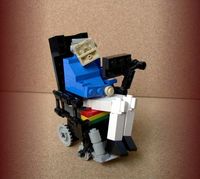
See what I mean?
I am doing exactly what the boardcode should be able to do, but that isn't working, and yet it works if I do it my way.
I am slowly figuring out this new set-up and am glad it wasn't my imagination that there isn't a way to go to first unread post - hopefully you'll get round to it as soon as you can.
Right. Images. I can see on the boardcode section both the img and url link wotsits, but the img one doesn't always work. I have sorted my own way of posting images, well, mostly, as some just don't seem to be compatible with this site.
The first one was my way, this one is another way:
This is trying from the boardcode section:
http://t3.gstatic.com/images?q=tbn:ANd9GcQhAfmj2eqfZkZkXEMJ3fj6YUW8Z6PDXNqTSKlRpc4AZm3CWc36&t=1
which has not worked.
http://t3.gstatic.com/images?q=tbn:ANd9
Neither did that one but this does, only not from the boardcode section:
See what I mean?
I am doing exactly what the boardcode should be able to do, but that isn't working, and yet it works if I do it my way.
Please Log in or Create an account to join the conversation.
- Able_Here_Team
-
- Offline
- Moderator
-

Less
More
- Posts: 688
- Thank you received: 51
15 years 4 months ago #36452
by Able_Here_Team
This problem is now fixed!
Replied by Able_Here_Team on topic Re: Indication of new posts on a forum section.
Gandra wrote: One other thing - if I follow the link from the email telling me there has been a response to my post, the forum opens on another tab and I have to log in again, even though I ticked to be remembered and never actually log out.
As I already have two windows open, each with seven or eight tabs - including having Able Here on one tab, why is it asking me to log in each time?
Thanks.
This problem is now fixed!
The following user(s) said Thank You: Gandra
Please Log in or Create an account to join the conversation.
Moderators: Able_Here_Team
Time to create page: 0.444 seconds
